



Website Speed and Core Web Vitals: How a Slow Website Can Hurt Your Business in 2026?
A website can have beautiful graphics, excellent content, and a strong SEO strategy—but if it is slow, difficult to use, or unstable while loading, visitors may leave before they ever discover what your business offers.
In 2026, website performance is no longer simply a technical concern. It is part of the overall customer experience, SEO strategy, and conversion journey.
Google’s Core Web Vitals measure three important aspects of real-world page experience:
- LCP (Largest Contentful Paint): loading performance
- INP (Interaction to Next Paint): responsiveness
- CLS (Cumulative Layout Shift): visual stability
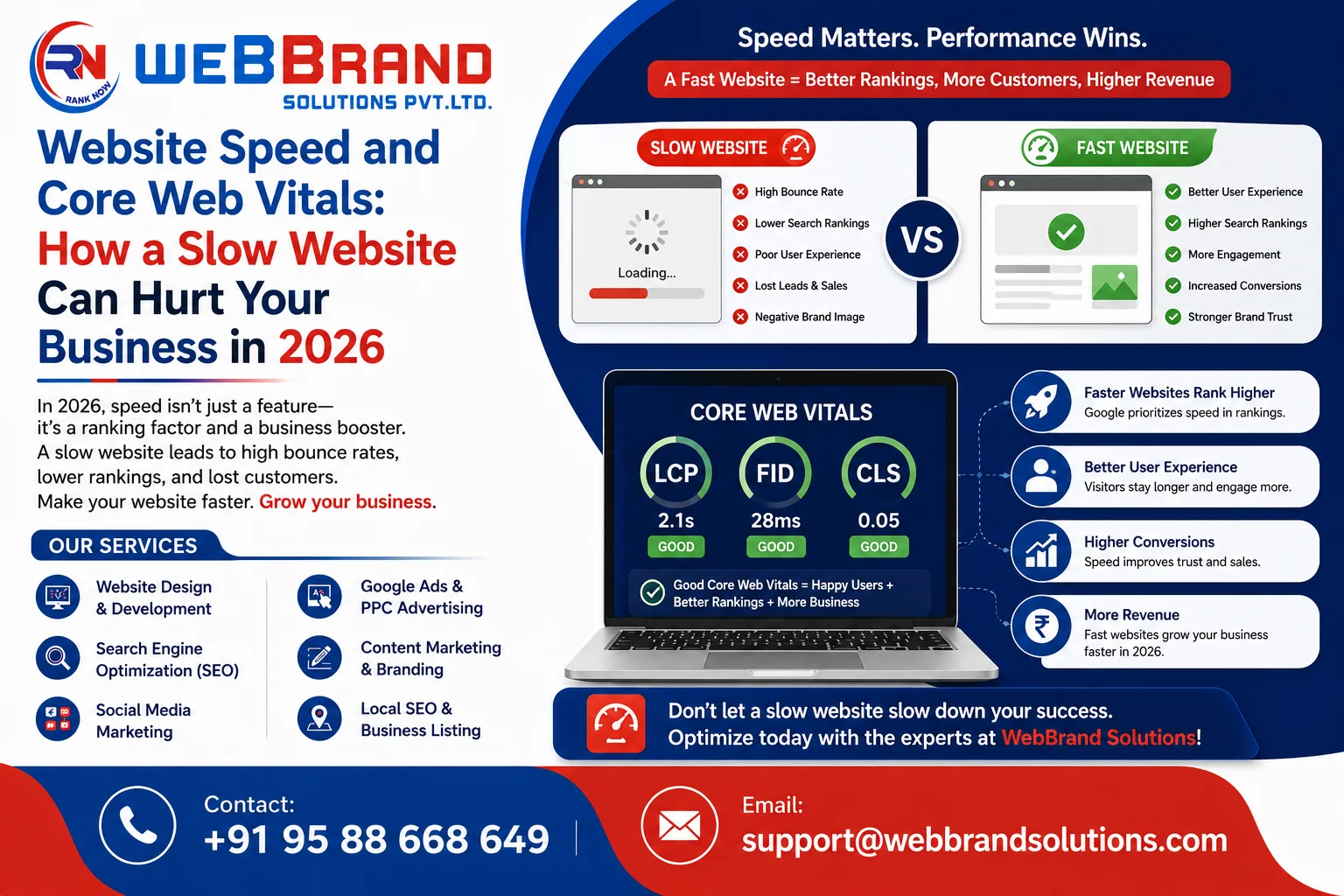
Google recommends aiming for an LCP of 2.5 seconds or less, an INP below 200 milliseconds, and a CLS below 0.1 for a good user experience.
But what does this mean for an actual business?Let’s explore how website speed affects users, SEO, leads, sales, and your overall digital marketing performance.
What Are Core Web Vitals?
Core Web Vitals are a set of metrics designed to measure important aspects of user experience
Instead of asking only:
“Does my website load?”
website performance asks:
“How quickly can users see the important content, interact with the page, and use it without the layout unexpectedly moving?”
1. Largest Contentful Paint (LCP)
LCP measures how quickly the largest visible content element becomes available.
This could be:
- A hero image
- Main heading
- Large product image
- Video
- Important content section
A good LCP should generally occur within 2.5 seconds.
2. Interaction to Next Paint (INP)
INP measures how responsive a page is when users interact with it.
For example:
A visitor clicks “Add to Cart”.
If nothing appears to happen for several seconds, the experience feels broken.
Google recommends an INP of less than 200 milliseconds for a good experience.
3. Cumulative Layout Shift (CLS)
Have you ever tried clicking a button only for the page to suddenly move?
That is the kind of problem CLS measures.
Google recommends a CLS score below 0.1.
Why Website Speed Matters for Businesses
Website performance affects much more than a PageSpeed score.
It can influence:
- User experience
- Engagement
- Mobile usability
- Conversions
- Product browsing
- Lead generation
- Checkout experience
- Search performance
- Brand perception
Google states that its systems look at overall page experience and recommends good Core Web Vitals, while also emphasizing that good scores alone do not guarantee top rankings.
This distinction is important.
Don’t optimize your website only to get a green score. Optimize it to give customers a better experience.
How a Slow Website Can Lose Customers
Imagine a potential customer searches for your service and clicks your website.
The page begins loading
The visitor waits.
The images appear slowly.
The menu does not respond immediately.
The page shifts.
The visitor becomes frustrated.
They return to Google and choose another business.
You may never know that this happened.
That is why website speed should be treated as part of your customer acquisition strategy.
Common Reasons Websites Become Slow
Large Images
High-resolution images are often uploaded without proper compressio
A website may look beautiful but load unnecessarily large files.
Too Many Plugins
WordPress websites can become slower when excessive plugins load scripts and styles that are not necessary on every page.
Unoptimized JavaScript
Heavy JavaScript can affect page responsiveness and INP.
Poor Hosting
A website can be technically optimized but still perform poorly if its hosting environment is inadequate.
Too Many Third-Party Scripts
Chat widgets, tracking systems, popups, advertising scripts, social media tools, and other integrations can increase page weight.
Poorly Configured Caching
Caching can significantly improve performance, but incorrect configuration can create additional problems.
Unused CSS and JavaScript
Websites sometimes load resources that are not needed for the page the visitor is viewing.
Website Speed on Mobile Matters
Many customers discover businesses through smartphones.
A website that works reasonably well on a desktop can feel completely different on a mobile device.
Mobile users may have:
- Smaller screens
- Slower connections
- Limited processing power
- Less patience for complicated interfaces
Google’s Search guidance also emphasizes mobile usability as an important aspect of providing a good experience.
A responsive website should therefore be tested on actual mobile devices—not just resized inside a desktop browser.
How to Improve Website Speed
1. Optimize Images
Use appropriately sized images and modern formats where practical.
Don’t upload a 5 MB image when a much smaller file can provide the same visual quality.
2. Use Browser and Server Caching
Caching allows frequently requested resources to be served more efficiently.
3. Minimize Unnecessary Scripts
Review plugins, tracking scripts, animations, popups, and third-party integrations.
Ask:
Does this element actually contribute to the customer journey?
If not, consider removing it.
4. Improve Hosting
Good hosting provides a stronger foundation for performance.
5. Optimize Fonts
Too many font files and font variations can increase page load requirements.
6. Reduce Layout Shifts
Reserve space for:
- Images
- Videos
- Banners
- Ads
- Embedded elements
This helps prevent content from jumping while loading.
7. Optimize JavaScript
Reduce unnecessary JavaScript execution and load scripts only when needed.
8. Test Important Pages
Don’t test only the homepage.
Check:
- Homepage
- Service pages
- Product pages
- Blog pages
- Contact page
- Landing pages
- Cart
- Checkout
Does Website Speed Directly Guarantee Higher Google Rankings?
No
This is an important distinction.
Google states that good Core Web Vitals are recommended for Search success and good user experience, but good Core Web Vitals scores do not guarantee that a page will rank at the top of Google
Content relevance, quality, authority, search intent, technical accessibility, and many other factors matter.
Therefore:
SEO + useful content + technical health + good user experience is a stronger strategy than focusing only on speed.
How Website Performance Affects Conversion Rate
Consider two websites offering the same service.
Website A
- Loads quickly
- Clear headline
- Easy navigation
- Mobile-friendly
- Strong CTA
- Simple contact form
Website B
- Slow images
- Complicated navigation
- Popups everywhere
- Poor mobile layout
- Unclear CTA
- Long form
Even if both websites receive the same amount of traffic, Website A may create a much better opportunity for conversion.
This is why website development should be connected with SEO and conversion optimization from the beginning.
How WebBrand Solutions Can Help
A successful website needs more than an attractive design.
At WebBrand Solutions, businesses can combine:
- Website design
- Web development
- SEO
- Digital marketing
- Paid search
- Web analytics
- Conversion-focused improvements
The company’s service structure includes SEO, social media marketing, web development, web analytics, and paid search.
The objective should be simple:
Attract the right visitors → give them a great experience → make it easy to take action.
Frequently Asked Questions (FAQs)
What are Core Web Vitals?
Core Web Vitals are Google’s metrics for measuring important aspects of real-world page experience, including loading performance, responsiveness, and visual stability.
What is a good LCP score?
Google recommends an LCP of 2.5 seconds or less for a good experience.
What is a good INP score?
Google recommends an INP of less than 200 milliseconds for good responsiveness.
What is a good CLS score?
Google recommends a CLS score of less than 0.1.
Does a faster website automatically rank #1?
No. Website performance is only one part of the overall search and user experience picture. Google explicitly states that good Core Web Vitals do not guarantee top rankings.
How can I check my website speed?
You can use tools such as Google PageSpeed Insights, Lighthouse, and the Core Web Vitals reports available through Google Search Console.
Conclusion
Your website is often the first serious interaction a potential customer has with your business.
A slow, unstable, or difficult-to-use website can create friction before the customer even reaches your products or services.
In 2026, businesses should look beyond simply asking:
“Does my website look good?”
Instead ask:
“Does my website load quickly, respond smoothly, work well on mobile, communicate value clearly, and make it easy for visitors to become customers?”
That is the real purpose of website performance optimization.
Need a faster, SEO-friendly, conversion-focused website? Contact WebBrand Solutions to discuss your website design, development, SEO, and digital marketing requirements.